
Platform Overview
The Architecture of Modern Master Control.
Feed Ingest, Node Routing, Multi-Channel Audio, and Linear Rundown. Tour the four foundational pillars of VMediaBoard and explore the ergonomic controls built for live broadcasting.
Core Workspaces
Four synchronized modules. One unified broadcast.
Contribution streams, 3D routing, audio, and playout live harmoniously within a single unified workspace. Hover to preview any module, or select it to take direct control.
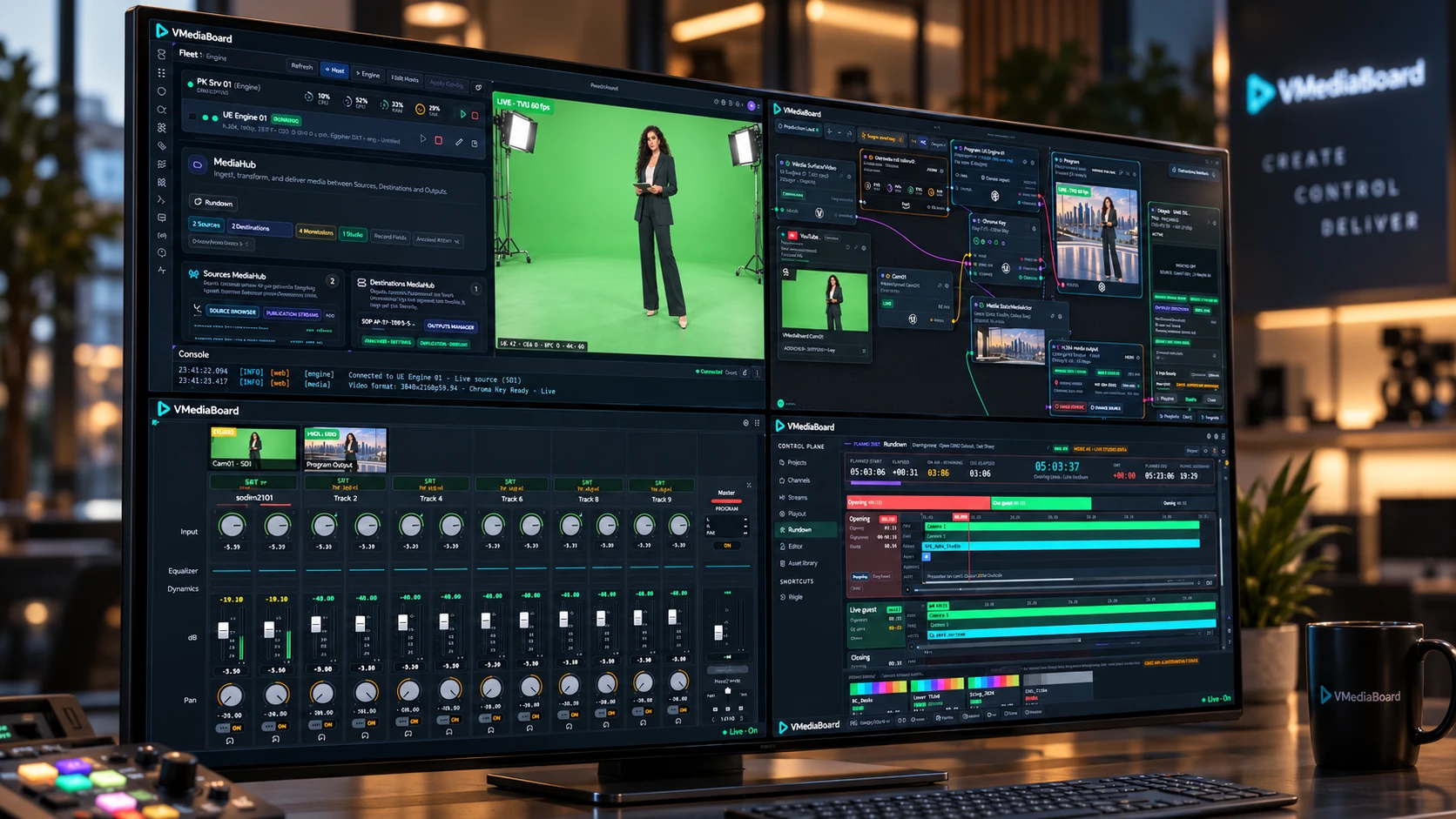
Hover over an operational zone or navigate via the index.
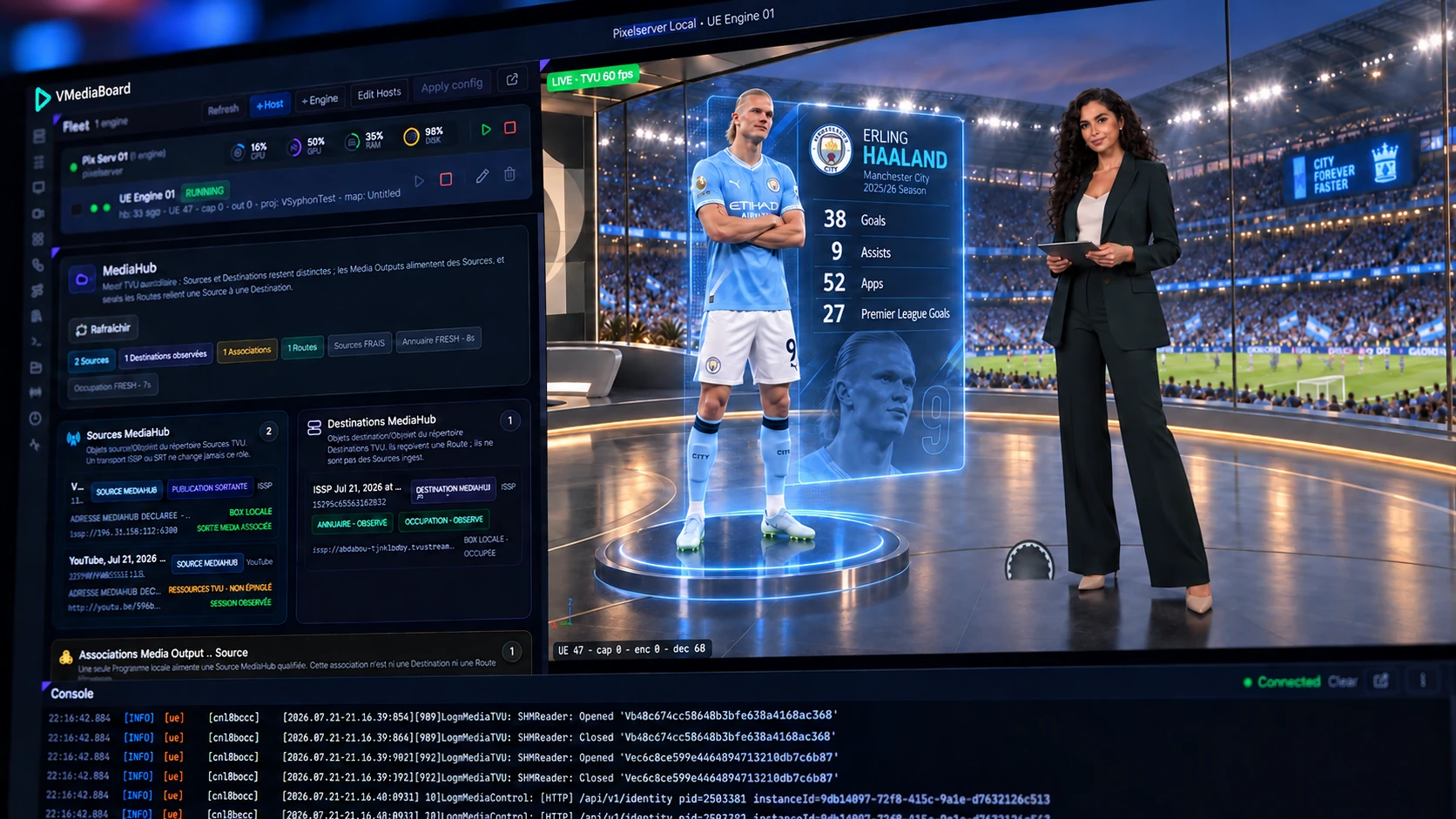
Ingest & Health Telemetry
Connect camera feeds and monitor signal integrity instantly.
Orchestrate render clusters, host instances, and media pathways from a single console. Comprehensive multi-viewers let you audit incoming signals before introducing them to the 3D set.
- 1Engine Cluster
Real-time monitoring of cloud server instances and Unreal Engine nodes, displaying active GPU/CPU workloads, frame timing, and operational status.
- 2MediaHub Router
Ingests, normalizes, and packages low-latency media streams across capture inputs, virtual engines, and multi-platform outputs.
- 3Unified Endpoints
Configure TVU, SRT, NDI, and platform destinations once to deploy them effortlessly across any production signal path.
- 4Real-Time Render Output
Real-time view of the composited scene direct from the render engine, with active resolution, format, and frame-rate metadata.
- 5Diagnostic Log
Real-time event logging across engine pipelines, video decoders, and network protocols for instant transparency.
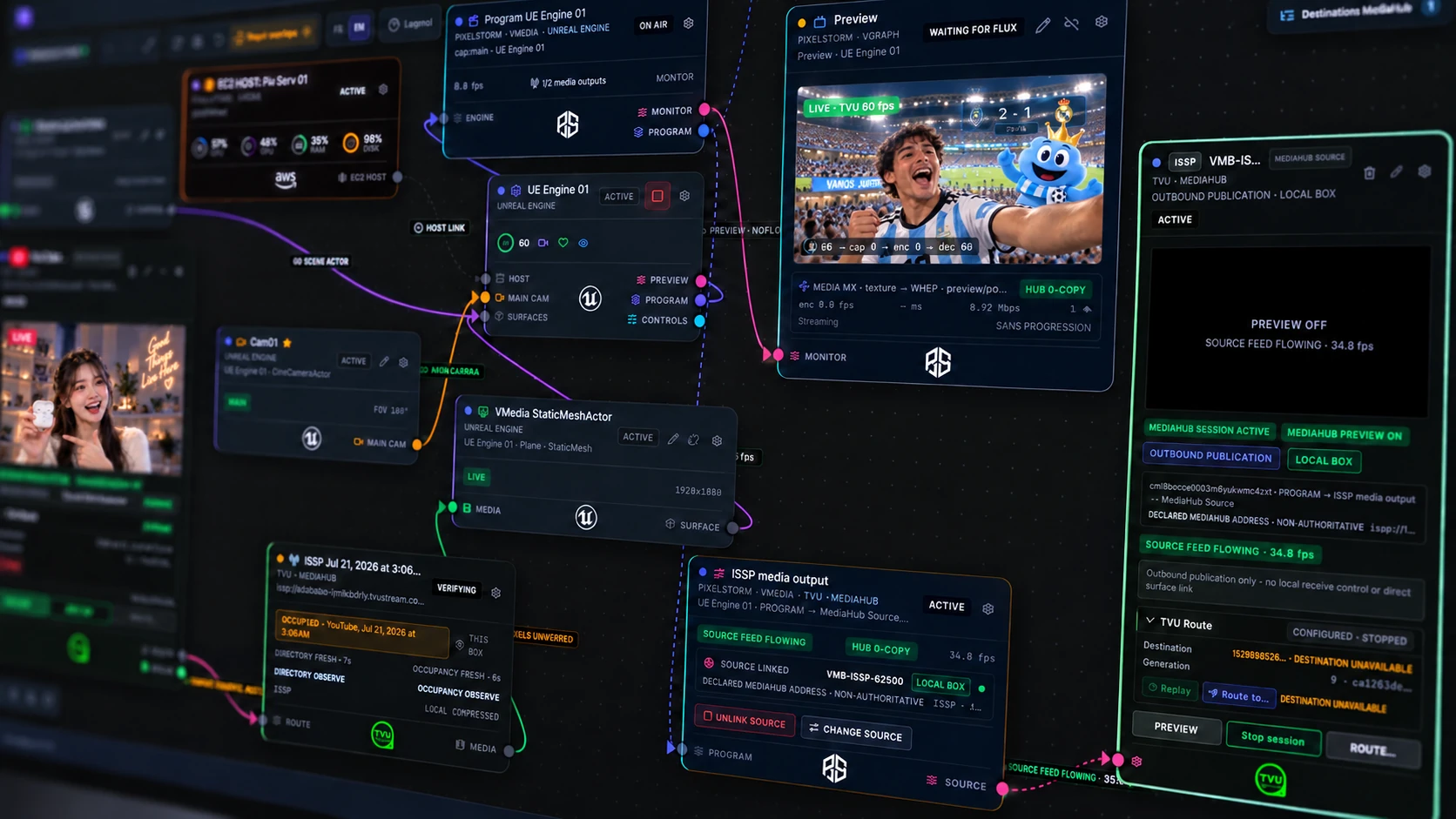
Node-Based Routing
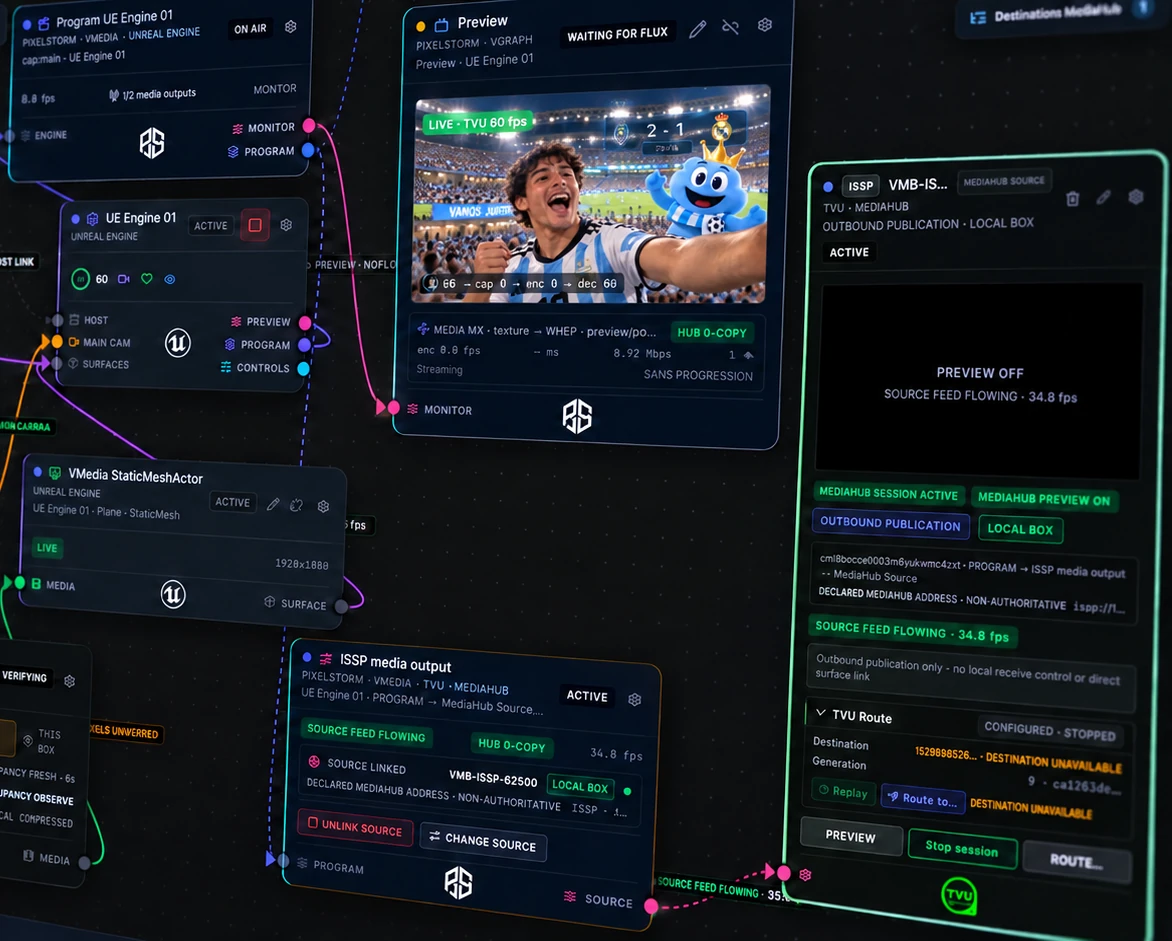
Route any source into the 3D set, Stage in Preview, Take to Program.
A fluid node canvas visualizes how camera signals project onto virtual surfaces, which Unreal instances render them, and how program streams exit to air.
- 1Program Master
The final, broadcast-ready composited feed transmitted live to air.
- 2Engine Instance
Active render instance managing spatial coordinates, virtual camera tracking, materials, and live control parameters.
- 3Virtual Surface
Any spatial object, virtual video wall, or AR layer mapped to receive live video inputs.
- 4Preview Bus
Audition camera alignment, keying cleanliness, and graphic placement prior to cutting live.
- 5Media Egress
High-reliability egress stream published via SRT, low-latency WebRTC, or RTMP endpoints.
- 6Dedicated Downlink
Secure pathway delivering live program return back to on-set field monitors, transceivers, or broadcast networks.
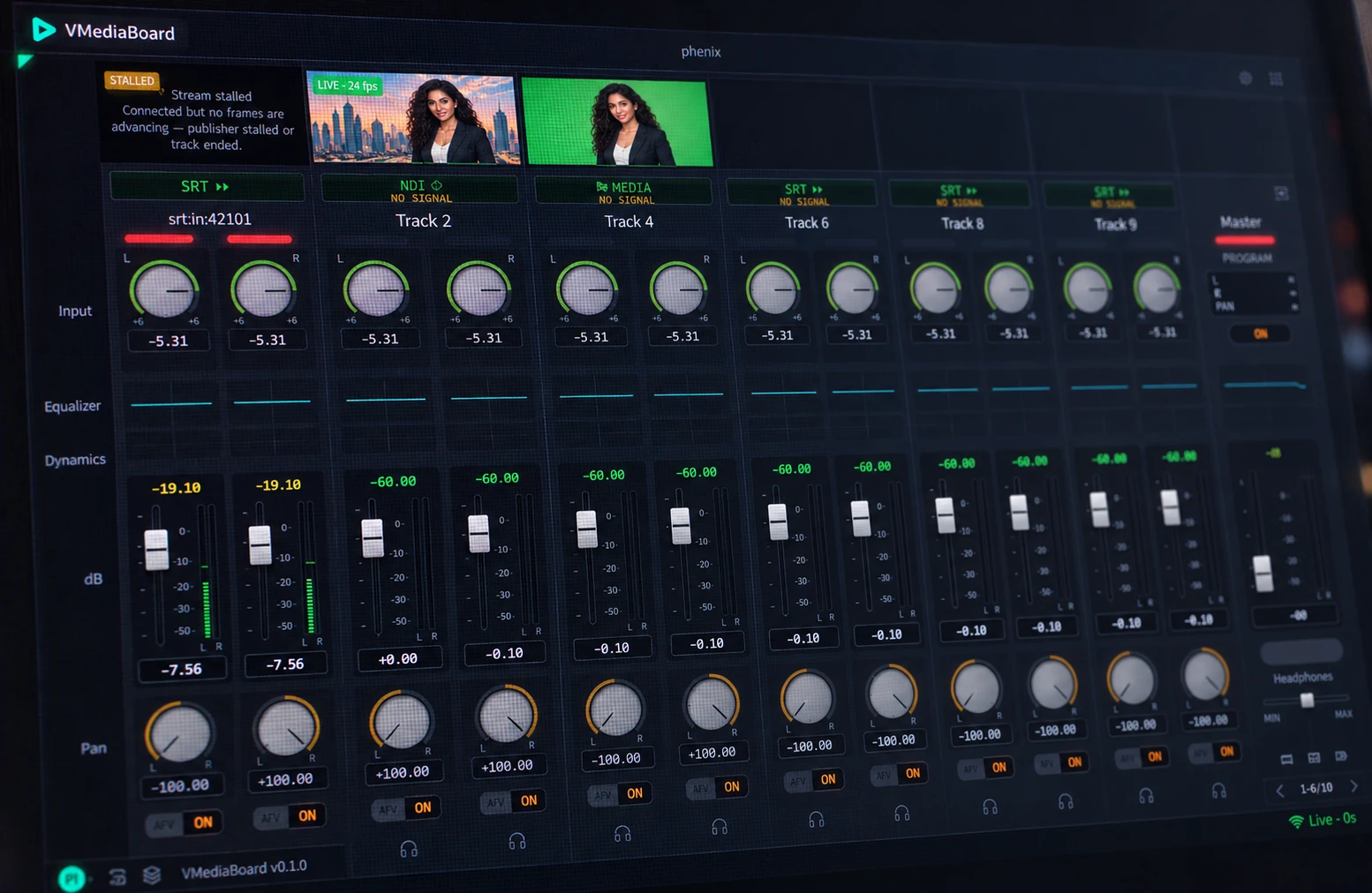
Integrated Audio Console
Precision audio mixing alongside the video stream.
Each video and standalone audio stream populates a dedicated channel strip. Adjust input gain, multi-band EQ, dynamic compression, faders, and pan – all balanced through an integrated master bus.
- 1Input Telemetry
Ingest audio via SRT, NDI, or internal video files with instant visual flags for active, degraded, or stalled inputs.
- 2Channel Gain
Independent L/R gain trimming and impedance staging for balanced audio capture.
- 3EQ & Signal Shaping
Parametric EQ curves, noise gating, and compression per channel for clean on-air vocal clarity.
- 4True-Peak Faders
Responsive, calibrated dBFS faders with true-peak LED ballistics for broadcast compliance.
- 5Audio-Follow-Video (AFV)
Position sources across the stereo field or link channels to automatically switch when cameras take to air.
- 6Master Program Bus
Final program bus mastering, peak limiting, and dedicated solo/cue headphone monitoring.
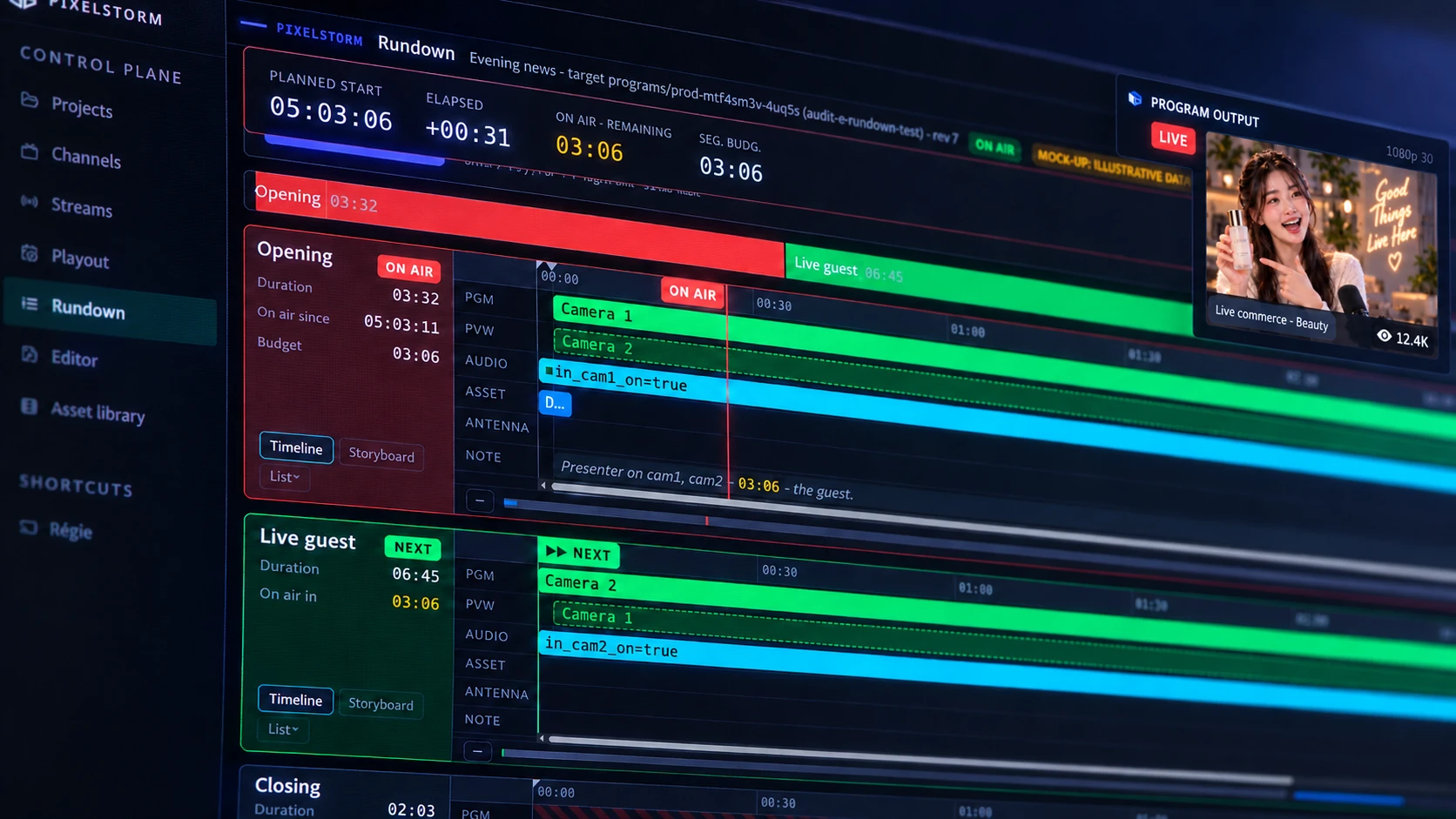
Rundown & Automation
Keep your telecast on time. Let automated playout run the rundown.
Build structured shows with linked camera angles, audio cues, and graphics assets. Monitor real-time timing budgets, current on-air segments, and cued blocks while automated playout keeps your master schedule on track.
- 1Precision Clocks
Synchronized time-of-day, segment elapsed duration, and strict countdown timers for active blocks.
- 2Show Structure
Dynamic rundown overview tracking planned versus actual timing across segments, intros, and commercial breaks.
- 3Live On-Air Block
Clear red tally confirms active on-air status, showing all camera cuts and audio routing currently live.
- 4Timeline Lanes
Multi-track timeline sequencing cameras, graphics keying, digital audio, pre-recorded clips, and prompter cues.
- 5Cued Segment
Green tally indicates ready status; camera framing, 3D scenes, and audio faders are primed for the next transition.
- 6Confidence Return
Exact viewer experience displayed in real time. Playout ensures continuous 24/7 channel transmission between live blocks while routing feeds to global CDNs.
 YouTube
 Instagram
 TikTok
 Facebook
 LinkedIn
Scalable streaming and broadcast endpoints. All trademarks and brand names belong to their respective owners.
AI Operations
Complex engineering actions executed from simple natural prompts.
The AI copilot operates within your native switching pipeline – staging set changes, clarifying configurations, and pinpointing source disruptions. No command executes on air without human sign-off.
- Direct 3D Set Changes Add, translate, or restyle 3D environment assets and graphics simply by typing conversational requests.
- Accelerate Execution Find controls instantly, pre-stage camera switches, and understand complex engineering parameters on the fly.
- Real-Time Fault Diagnosis Receive immediate root-cause analysis and actionable fixes whenever a contribution stream fluctuates, backed by expert support.
- DirectorPlace the sponsor board behind the presenter, slightly offset to the left.
- CopilotPositioned Sponsor Board in the sports set (1.2m upstage, left offset). Staged in Preview. Program output remains untouched.
- DirectorWhy did Camera 2 freeze?
- CopilotThe SRT stream on port 42101 ceased sending frames 12 seconds ago. Please check the on-site encoder. Camera 1 remains stable; rundown can proceed without interruption.
The AI copilot stages with precision; the human operator holds final switching authority.
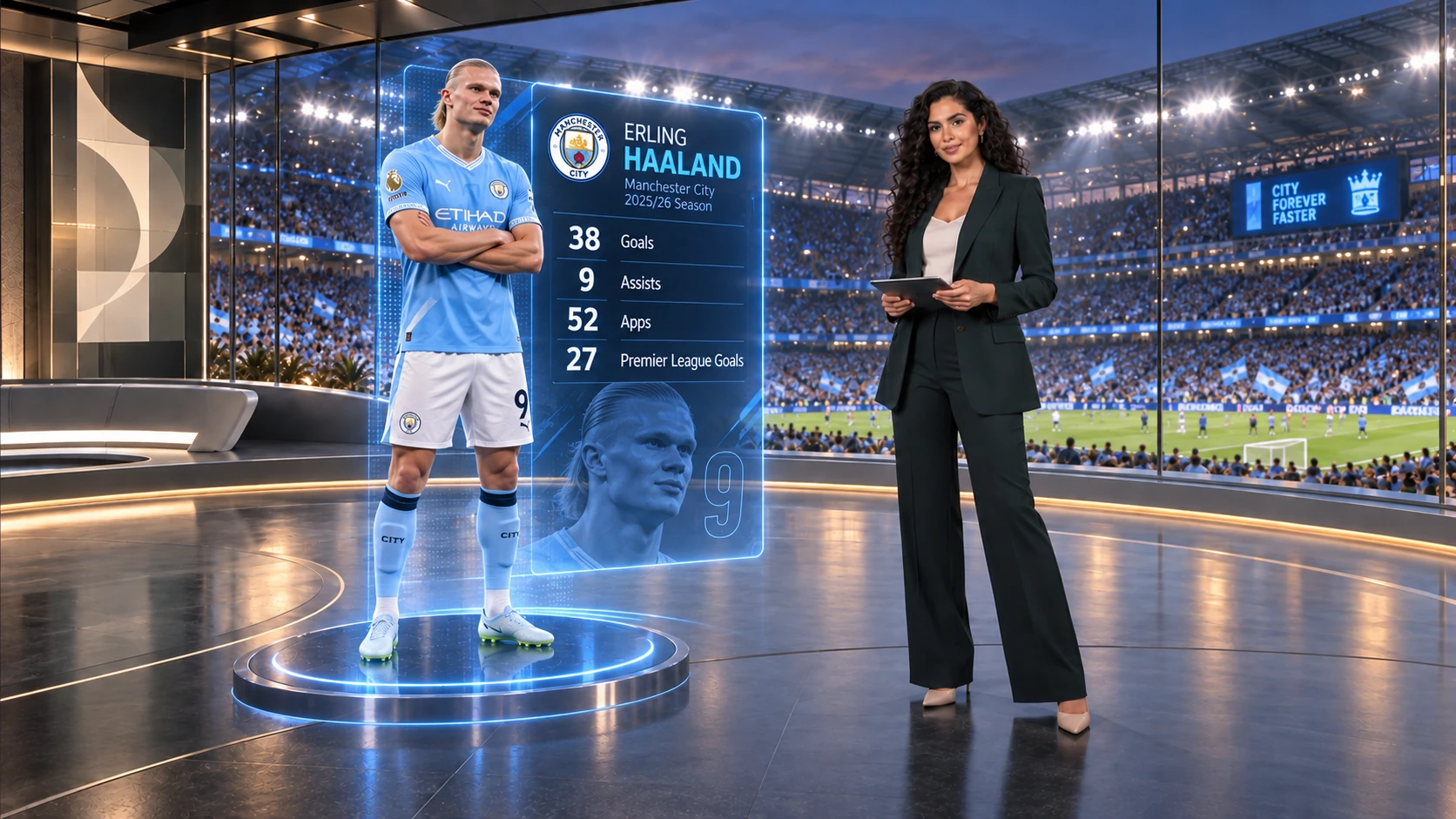
Sports Broadcast
Dynamic AR graphics integrated seamlessly on air.
Volumetric 3D player telemetry rendered with realistic environmental lighting and real-time shadows.
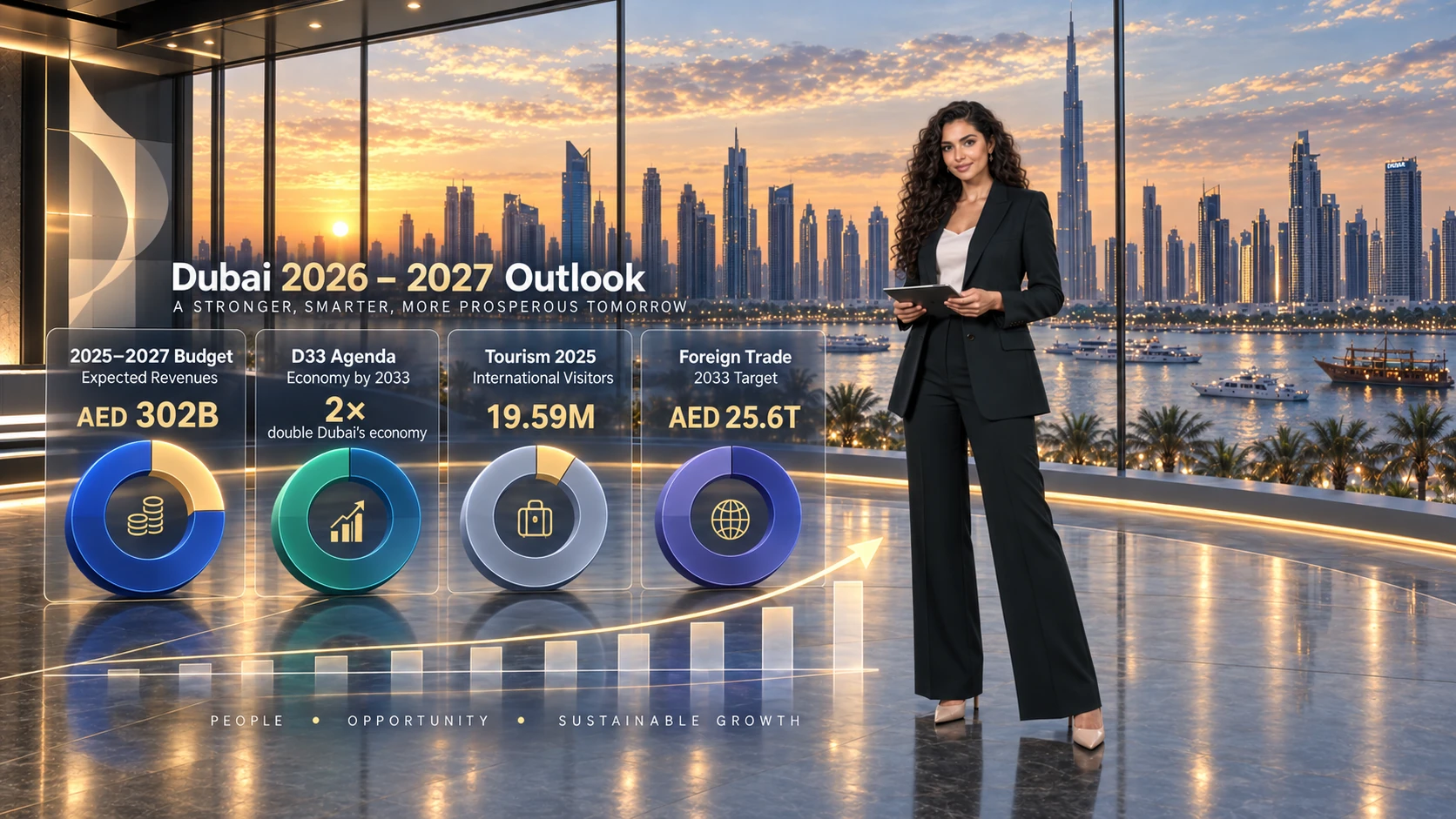
Financial Newsroom
Same live capture, transformed instantly for business news.
Dynamic photorealistic cityscapes, real-time data overlays, and responsive spatial illumination.
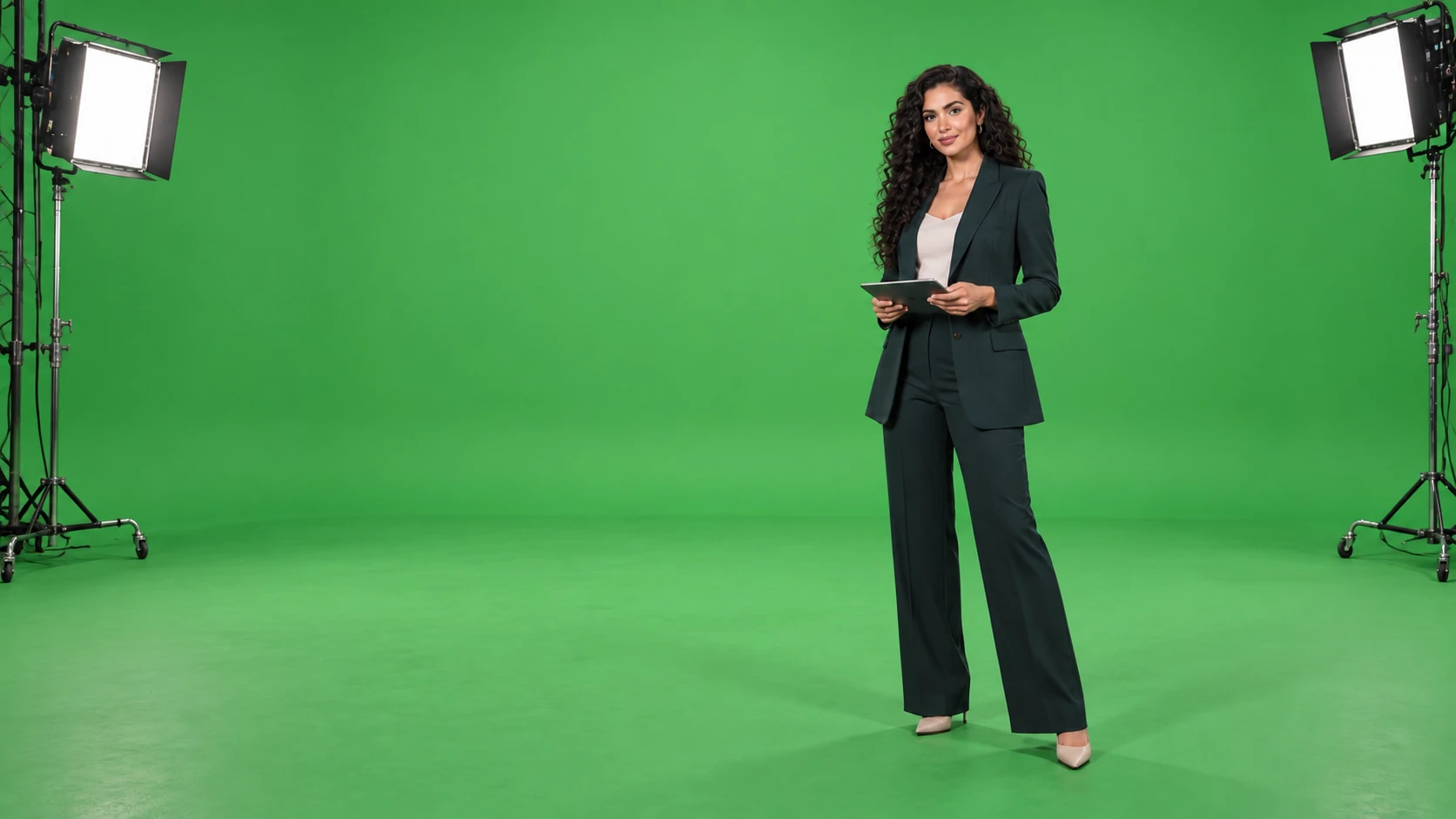
Camera Ingest
Raw studio capture at the source.
Clean camera feed captured on chroma key, primed for instant real-time extraction.
Rendering Engine
One camera feed. Infinite environments.
PixelStorm’s spatial video pipeline dynamically couples talent with virtual environmental lighting, depth of field, and photorealistic cast shadows, while keeping skin tones meticulously isolated from background grading.
- Cloud-Native Linux Unreal Engine Running natively on bare-metal Linux servers for maximum throughput, controlled seamlessly from any remote browser.
- Elastic Kubernetes Orchestration Spin up dedicated AWS GPU instances on demand for the duration of the show, tearing them down instantly when complete.
- Unified Media Pipeline One unbroken, low-latency pipeline moving high-fidelity video and audio from ingest to final broadcast transmission.
Current Readiness
See our proven platform in action today.
VMediaBoard is a battle-tested, operational platform. Our focus is partnering with forward-thinking broadcasters to validate productions under their own network conditions.
Production-grade Unreal Engine on Linux integrated with PixelStorm’s zero-ghosting pipeline, operated directly via VMediaBoard.
Comprehensive benchmarking of dynamic media transitions, instant stream failover, and synchronized multi-destination recording.
Run a comprehensive pilot to audit signal stability, glass-to-glass latency, and auto-recovery on your real-world infrastructure.
Tour the control room with your own live sources.
Schedule a dedicated walk-through of the four core modules configured to your exact production workflow.