
Technology & Architecture
From camera capture to final broadcast master.
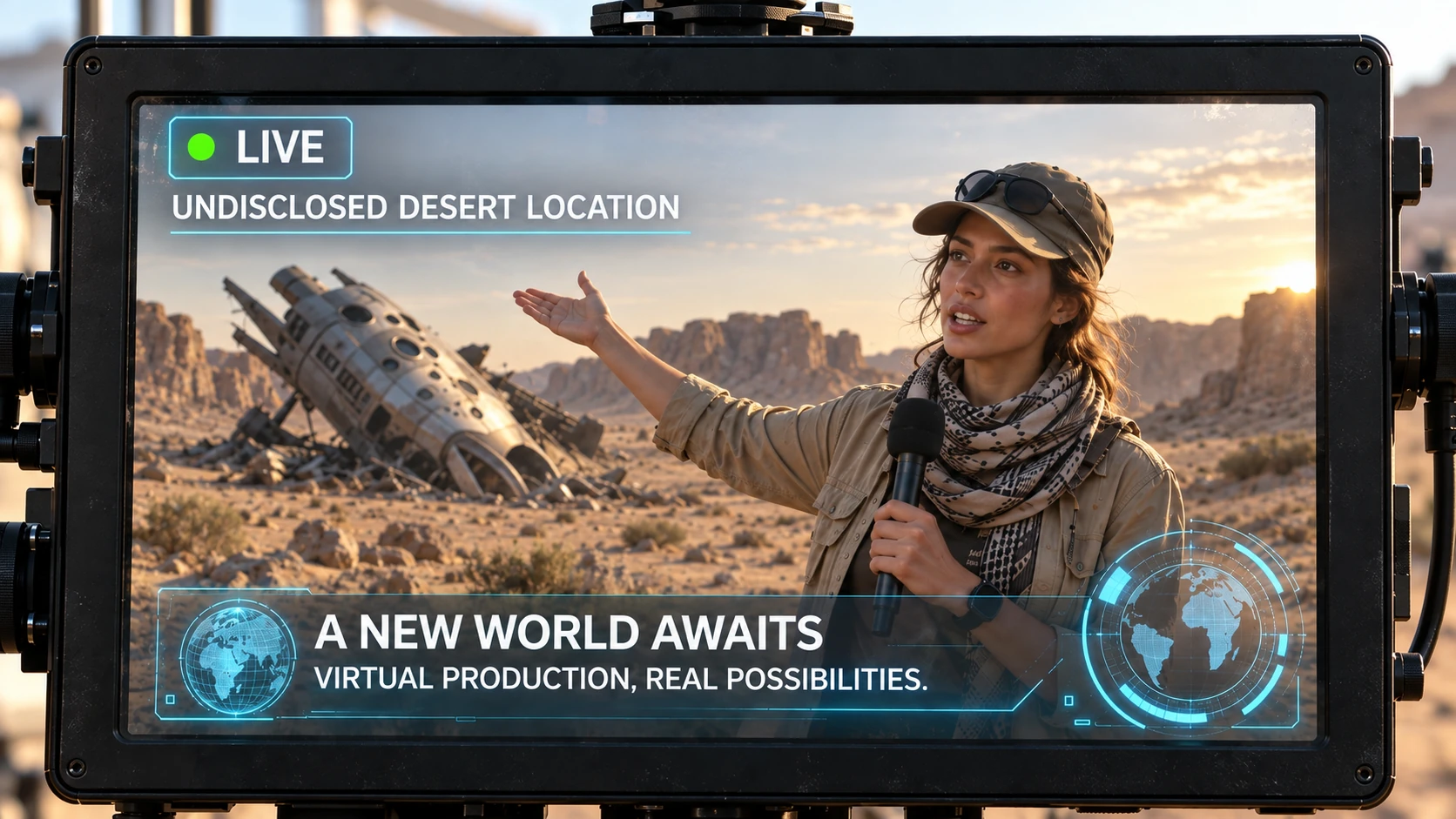
The camera captures talent on set. Cloud GPUs render the photorealistic 3D environment in real time. Your browser-based control room cuts the live show, and the composited program returns to on-site monitors with ultra-low latency.
Real-time composited confidence return on the field monitor.
Elastic Virtual Infrastructure
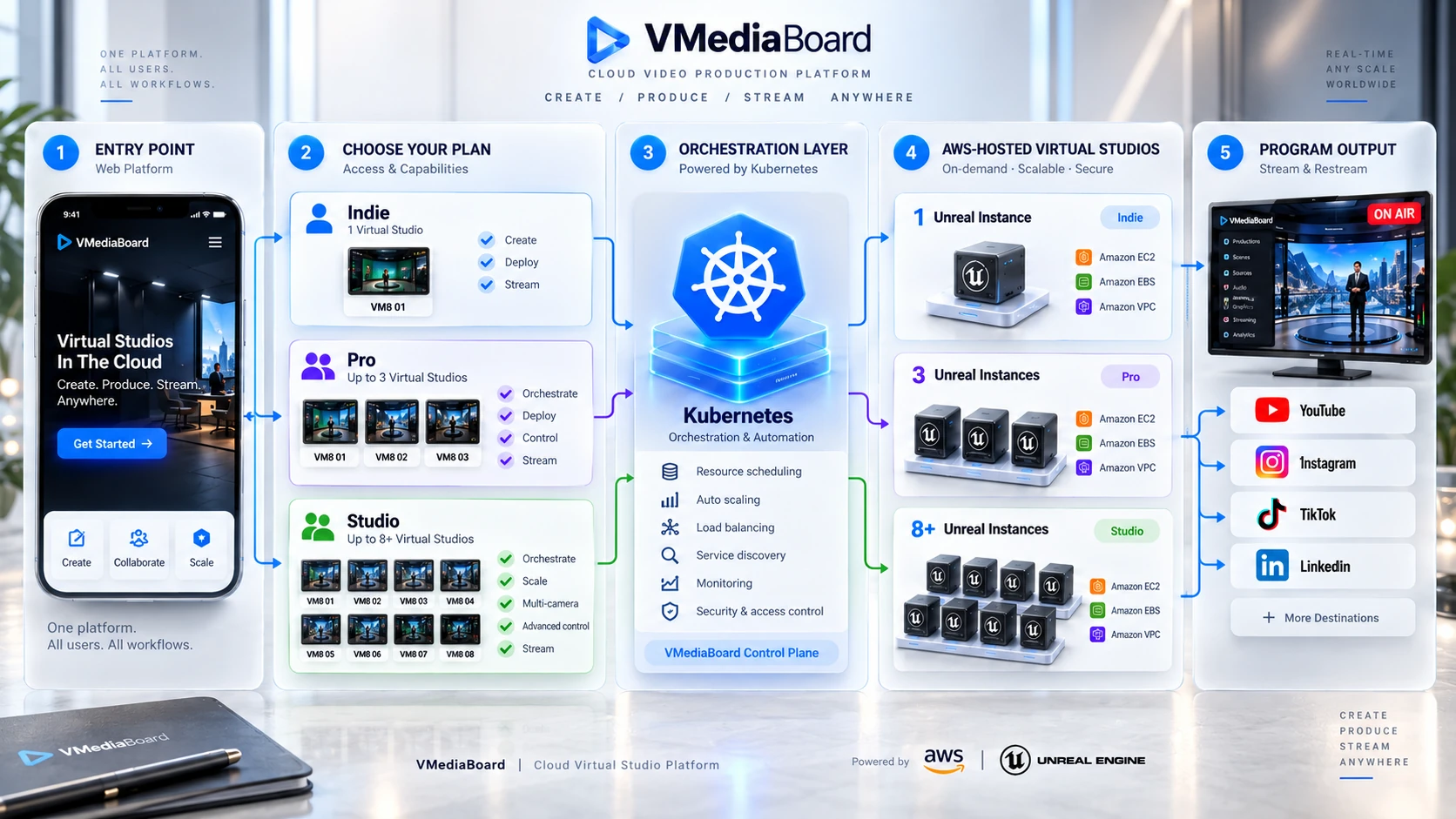
Virtual studios orchestrated elastically in the cloud.
Log in via standard web browser and scale capacity to match your broadcast needs – from a single virtual set to a synchronized multi-engine cluster. Kubernetes automatically spins up Unreal Engine GPU nodes on AWS, managing dynamic scaling, resource scheduling, and traffic balancing. VMediaBoard serves as the unified master control plane, delivering identical operational responsiveness whether running one engine or eight.
- Browser Workspace
- Kubernetes Orchestration
- Unreal Engine on AWS
- Program Distribution
End-to-End Pipeline
Five synchronized steps. One continuous pipeline.
Explore the technical requirements and data transformations that take your signal from glass to air.
Step 1: On-Set Capture
Standard broadcast camera, audio, and lighting setups. Use a green screen to transport talent into photorealistic virtual sets, or shoot on location to augment live physical scenes with volumetric graphics.
Prerequisites: Broadcast camera, professional audio, balanced lighting. For moving AR shots, optical or mechanical camera tracking.Step 2: Cloud Contribution
High-fidelity video and embedded audio stream securely to the MediaHub via bonded cellular (TVU), low-latency SRT, or dedicated IP pipelines.
Prerequisites: Stable internet connectivity with sufficient upstream bandwidth and an audio/video return link for on-site monitoring.Step 3: Real-Time Rendering & Keying
Unreal Engine instances perform clean chroma extraction, render the 3D set, and composite live AR graphics on cloud GPUs dynamically allocated for the broadcast.
Orchestrated by: VMediaBoard on AWS, with cloud GPU nodes managed elastically via Kubernetes.Step 4: Browser Master Control
Video routing, spatial coordinates, multi-track audio mixing, and rundown automation are controlled seamlessly in VMediaBoard, assisted by our proactive AI copilot.
Operated by: Your broadcast director from any desktop browser worldwide.Step 5: Master Return & Syndication
The final composited program returns to field monitors with ultra-low latency while broadcasting simultaneously to linear networks, OTT apps, and digital endpoints.
Output Protocols: Broadcast SRT, low-latency WebRTC preview, and multi-CDN RTMP/HLS egress.
Chroma Pipeline
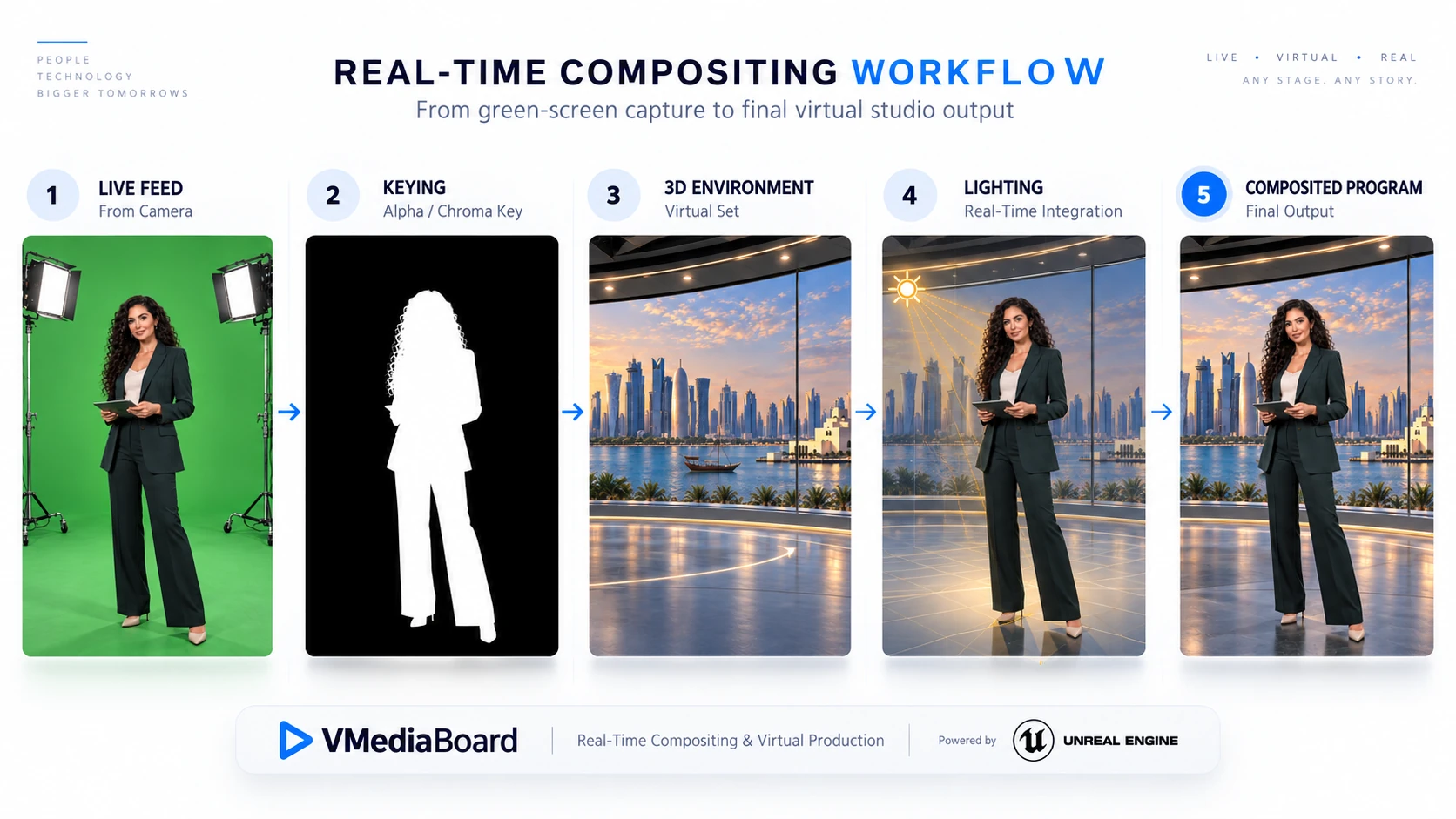
Inside the chroma extraction pipeline.
Talent is meticulously isolated from the green backdrop. The 3D virtual environment, spatial ray tracing, and real-time graphics layers merge with the camera feed to deliver a unified photorealistic master.
- Phase 1 Camera Ingest Clean camera capture establishes the baseline; pristine lighting and optics determine subsequent keying accuracy.
- Phase 2 Matte Extraction Sub-pixel keying isolates fine hair strands and translucent edges, replacing green backing with zero spill.
- Phase 3 3D Virtual Set Volumetric scene geometry, interactive props, and dynamic virtual camera perspectives.
- Phase 4 Spatial Illumination Virtual set lights, reflections, and contact shadows dynamically illuminate the live presenter.
- Phase 5 Broadcast Master The final photorealistic composite, verified on the preview bus and cut live to air.
Real-World AR
Preserve the authentic location. Augment with storytelling graphics.
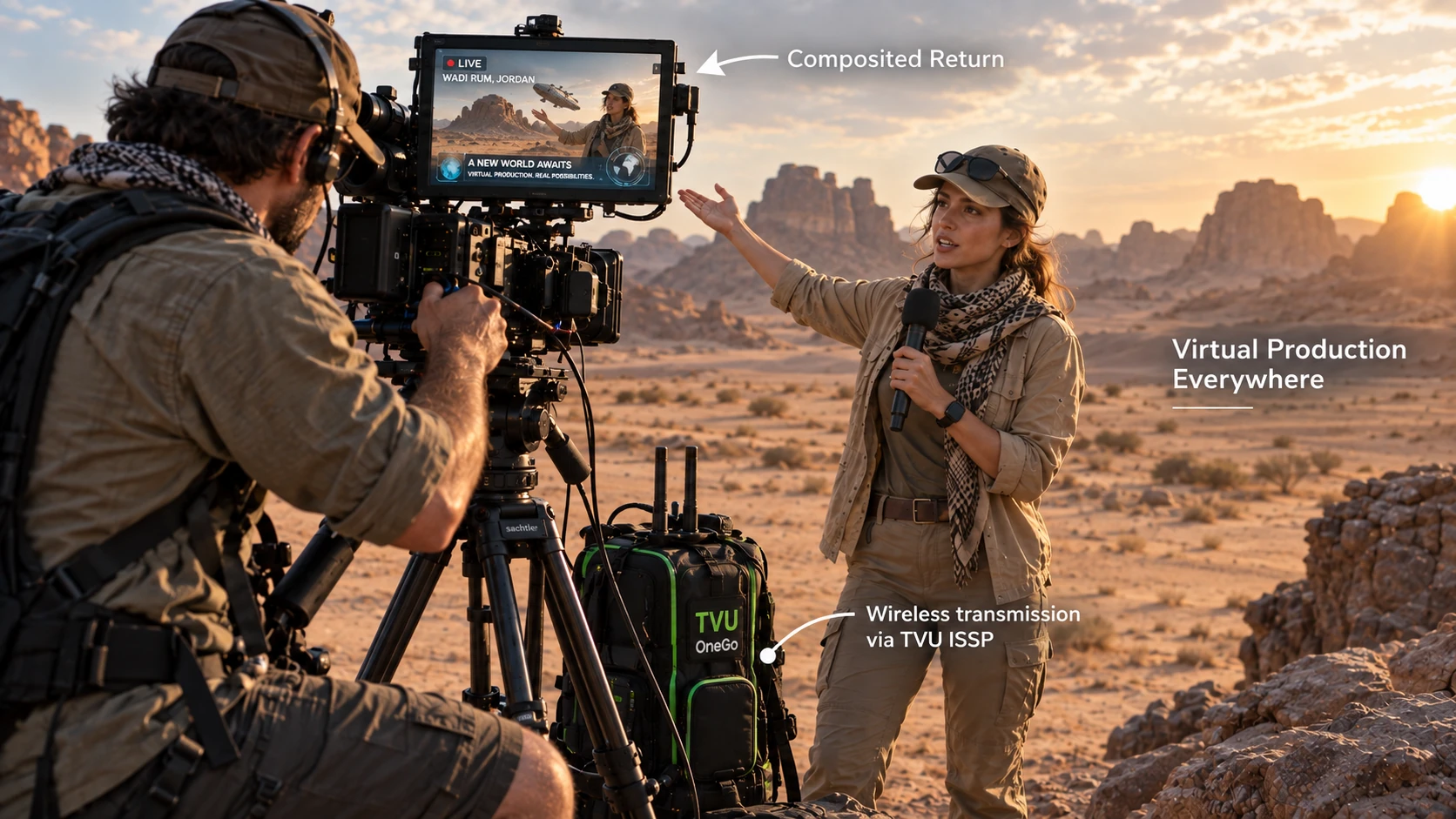
Maintain the raw authenticity of your live environment. Track and composite 3D product models, animated infographics, or volumetric mascots directly into the shot while operators frame using the low-latency cloud return feed.
Live composited return feed on the camera monitor, with cellular transceiver mounted on the tripod.
Trace the entire pipeline with your live camera feed.
Watch your live signal travel through capture, cloud rendering, and master control – streamed directly back to your monitor under real-world network conditions.